
Define Your Core Concept
Start with a clear, single-sentence idea. Avoid vague prompts like 'a sad story.' Instead, specify the genre and conflict, such as 'A cold CEO wakes up to find his secretary is his long-lost fiancée.' This specificity helps the AI generate a coherent plot structure.
- Specify genre (romance, thriller, business).
- Define the emotional tone (melancholic, tense, comedic).
- Set the expected duration (1-2 minutes per episode).
Generate and Refine the Script
Use the platform's script writing tool to turn your sentence into a structured script. It will automatically create dialogue, scene headers, and action descriptions. You must edit this text to ensure the pacing fits your vision and characters speak naturally.
- Paste the one-sentence prompt into the script generator.
- Review and edit dialogue for character voice.
- Adjust scene breaks to maintain narrative tension.
Series written from one sentence
 Brewed for the BillionaireA struggling barista spills coffee on a cold billionaire, an
 Hidden HeirA scholarship transfer student at an elite academy discovers
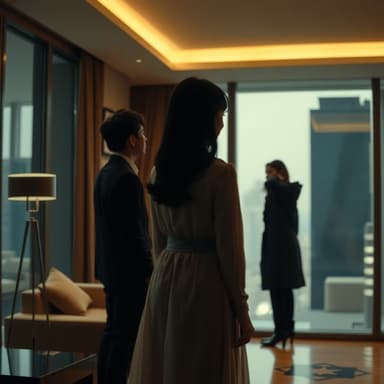 The Silent ShareholderFramed for fraud and divorced on her anniversary, she return
 The Moon's White HeirA waitress rejected by the ruthless Alpha on a full moon dis
Cast Consistent AI Actors
Select actors whose appearance matches your script's characters. The platform uses a face engine to ensure the same actor appears in every episode, eliminating the need for reshoots or manual editing to maintain visual continuity.
- Browse available AI actors to find matching archetypes.
- Assign specific actors to specific roles.
- Verify that the face remains consistent across episodes.
Free AI actors in the library





Apply Dialect Voices
Upload your script to the voice-over section and select a dialect that fits the character's background. The platform offers various regional accents and tones. This step adds realism and helps the audience connect with the characters immediately.
- Select the appropriate dialect for each character.
- Match voice tone to the character's personality.
- Preview the audio track before generating the final video.
Quote Before Shooting
Before generating the final video, request a quote. This protects your budget. If the AI fails to generate the video due to technical issues, you will receive a refund based on the quote. This risk-free approach allows you to experiment with different scripts.
- Request a price estimate for your script and assets.
- Wait for the quote approval before production.
- Receive a refund if generation fails.
Remake and Monetize
Once the video is generated, use the remake templates to quickly adjust lighting or camera angles. Once satisfied, upload the completed episode to the marketplace to earn passive income by renting out your AI-generated assets to other creators.
- Use remake templates to fix minor errors.
- Upload finished episodes to the asset rental platform.
- Set a competitive rental price for other users.